TL;DR for operators
ComputerRL is not interesting because a 9B model learned to click slightly better. That would be charming, in the way a robot vacuum wedged under a sofa is charming. The paper matters because it attacks the three actual bottlenecks in desktop automation: the wrong interface, the wrong training scale, and the wrong assumption that long RL runs keep exploring by magic.1
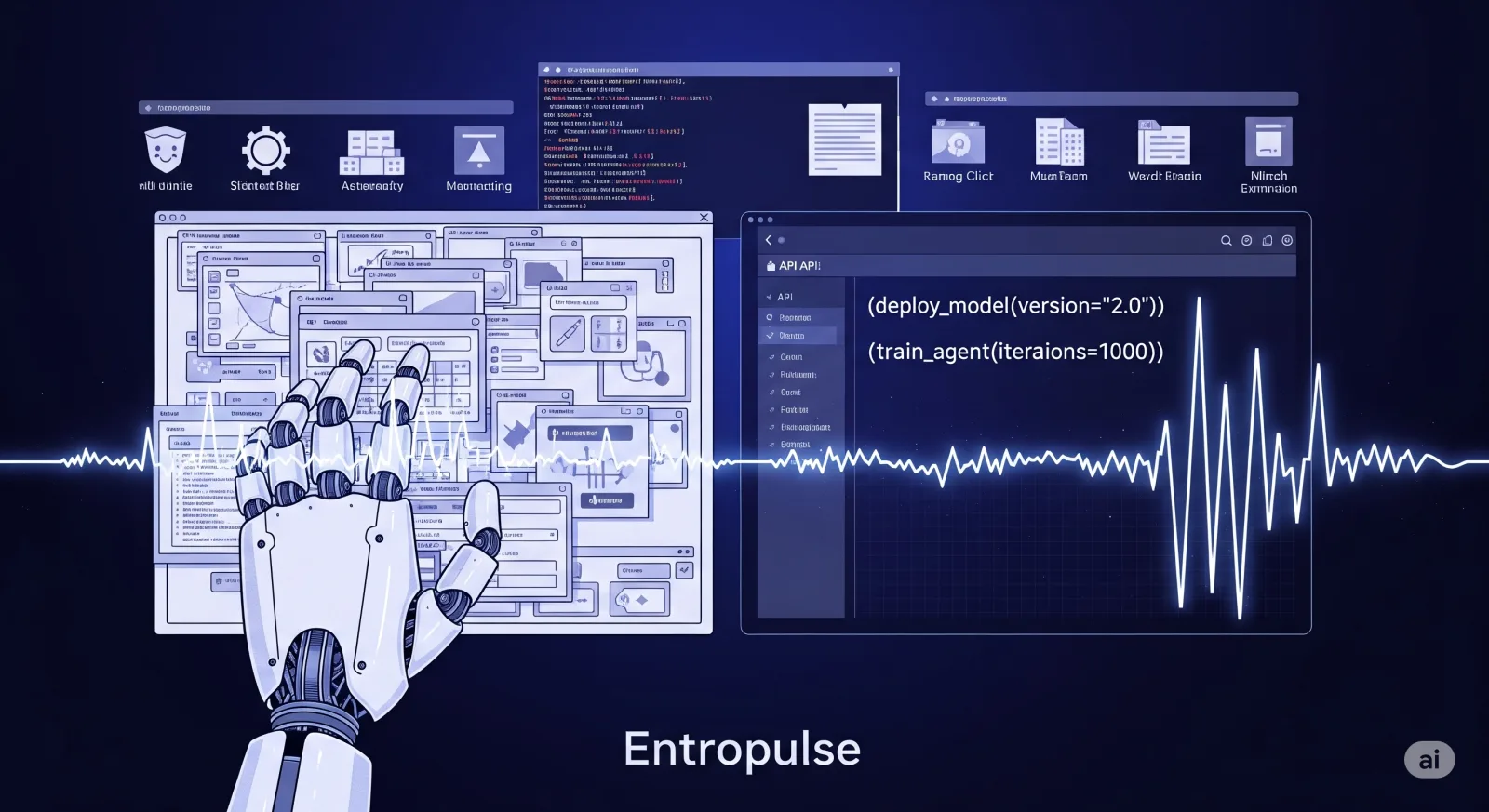
The core idea is simple. Let agents use APIs when APIs are the sensible way to operate software, keep GUI control for the messy parts, then train the whole policy end-to-end in many parallel desktop environments with verifiable task rewards. When RL begins to plateau, do not merely keep grinding. ComputerRL’s Entropulse step takes successful rollouts gathered during RL, turns them into a supervised fine-tuning refresh, restores action entropy, and then resumes RL.
The headline result is AutoGLM-OS-9B reaching 48.9% on OSWorld and 48.0% on OSWorld-Verified, ahead of the baselines reported in the paper, including OpenAI CUA o3 at 42.9% on OSWorld and UI-TARS-1.5 at 42.5%. On the paper’s OfficeWorld benchmark, the strongest ComputerRL variant reaches 43.3% average, versus 33.9% for OpenAI o3 under the reported comparison.
For businesses, the message is not “buy the agent and fire the interns”. Please, let’s stay on speaking terms with reality. The operational lesson is: start by building verifiable workflow sandboxes, add thin APIs around the highest-friction app operations, use GUI actions only where necessary, and track success per step rather than demo elegance. If step count falls, verifier pass rates rise, and failure modes become classifiable, you may have an automation asset. If not, you have a very expensive cursor.
The familiar failure: desktop agents are still paying the interface tax
Most office work still happens inside software designed for humans: spreadsheets, browsers, file managers, document editors, terminals, slide tools, image editors. These interfaces assume eyes, hands, memory, and tolerance for fiddly menus. An AI agent trying to complete a task by looking at screenshots and imitating mouse movements inherits all that friction, plus its own.
That is the interface tax. The agent must perceive the screen, identify the right target, choose coordinates, click accurately, wait for state changes, recover from pop-ups, and remember where it is in a multi-step process. Each extra action is not just latency. It is another chance to misread a button, select the wrong cell, paste into the wrong window, or confidently exit after doing half the task. Peak digital transformation, apparently.
ComputerRL’s starting assumption is more pragmatic: if machines are doing the work, they should not be forced to behave like under-caffeinated humans moving a mouse. Some actions should be direct programmatic calls. Others still require GUI interaction. The agent should be able to mix both.
This is the first reason the paper deserves a mechanism-first reading. A plain benchmark summary would say “new state of the art on OSWorld”. Useful, but shallow. The more important question is what changed in the operating model. ComputerRL changes the action space, the training infrastructure, and the learning schedule. The score comes later.
API-GUI replaces mimicry with leverage
The paper’s API-GUI paradigm gives the agent two kinds of hands.
The first hand is the conventional GUI action set: open an app, click coordinates, type text, drag and drop, scroll, switch windows, use hotkeys, wait, quote content, and exit with success or failure. This keeps the agent compatible with ordinary desktop environments.
The second hand is an application-specific API layer. The authors build APIs for common Ubuntu applications, including Code, Chrome, LibreOffice Calc, LibreOffice Impress, LibreOffice Writer, and VLC. In total, the paper reports 103 APIs, with particularly dense coverage for LibreOffice Calc, Impress, and Writer. The agent does not face all APIs at once; the framework dynamically narrows relevant APIs based on the active application, which matters because a tool menu with 103 options is not intelligence, it is a buffet with consequences.
The API construction workflow is semi-automated. Users provide exemplar tasks for an application. An LLM analyses required functionality, identifies missing interfaces, generates general-purpose API definitions, implements them using Python libraries where available, then generates and runs test cases. Failed APIs are fed back for correction. This appendix detail is not administrative filler. It explains how the paper imagines API coverage scaling beyond a hand-built toy set.
The mechanism is straightforward:
| Desktop problem | GUI-only agent behaviour | API-GUI replacement | Operational consequence |
|---|---|---|---|
| Spreadsheet manipulation | Click cells, type formulas, navigate sheets visually | Call structured spreadsheet operations where possible | Fewer steps and less coordinate fragility |
| Document formatting | Traverse menus and apply formatting through clicks | Use Writer APIs for direct text or formatting operations | Lower variance on repeatable edits |
| Multi-app work | Copy, paste, switch windows, verify by sight | Use APIs for known operations and GUI for boundary cases | Better decomposition across tools |
| Unusual UI states | Keep clicking, often heroically and wrongly | Fall back to GUI but retain structured context | Failures become easier to classify |
The paper’s framework ablation supports this mechanism. With GPT-4o under the same environment, GUI-only interaction averages 11.2% on OSWorld domain splits, while API-GUI averages 26.2%. The Office domain rises from 6.2% to 27.9%; Professional rises from 14.3% to 41.6%. This is not a small cosmetic gain. It says the interface itself was suppressing performance.
For enterprises, this is the first translation layer. If your automation roadmap consists entirely of screenshot interpretation and cursor control, you are voluntarily choosing the noisiest possible interface. Thin APIs around high-volume operations are not a developer indulgence. They are the difference between asking an agent to “use Excel” and giving it a controllable mechanism for changing a workbook.
Scalable desktop RL turns agent training from anecdote into infrastructure
API-GUI reduces the action burden. It does not, by itself, teach an agent how to recover from mistakes across long desktop tasks. For that, ComputerRL uses online reinforcement learning in actual desktop environments.
The difficult part is not the slogan “train with RL”. The difficult part is making thousands of desktop interactions run without the whole training process collapsing into a festival of frozen VMs, network failures, and unusable logs. Desktop environments are slow, stateful, and annoying. In other words, realistic.
The paper reconstructs the OSWorld-style Ubuntu environment into a scalable infrastructure using containerised virtual machines, AgentBench-compatible interfaces, distributed multi-node orchestration, and gRPC communication. It also uses a fully asynchronous RL setup, separating rollout collection from training so that actors and trainers do not wait on each other in the old stop-start rhythm.
That infrastructure is not a side note. It is the reason the learning loop can exist at meaningful scale.
The training pipeline has three major stages:
-
Behaviour cloning cold start. The authors construct roughly 8,000 tasks through manual annotation and augmentation, then use multiple advanced models to generate diverse trajectories. Evaluation functions filter successful trajectories, producing roughly 180,000 correct steps for supervised fine-tuning.
-
Reinforcement learning with verifiable rewards. The policy interacts with desktop environments and receives rule-based task verification. Successful trajectories receive reward for correctly formatted actions contributing to the solution; failed or malformed actions receive zero. The method extends GRPO to the step level, but the reward remains tied to final task success rather than pretending every intermediate click has a neat human-readable value.
-
Entropulse and second RL phase. After the first RL phase plateaus, successful rollouts collected during training are converted into a new SFT set. The paper reports around 130,000 additional steps used for this Entropulse training before RL resumes.
The important point is not that SFT and RL are both used. That is now almost disappointingly normal. The important point is sequencing. Behaviour cloning gives the model basic desktop competence. RL sharpens the policy against task verifiers. Entropulse then deliberately reopens exploration before a second RL phase.
The paper’s training ablation makes the sequence legible:
| Stage | Average OSWorld result in ablation | Likely purpose | What it shows |
|---|---|---|---|
| Untrained | 15.2% | Baseline capability | The backbone alone is not enough |
| + Behaviour cloning | 31.9% | Cold-start skill acquisition | Imitation supplies basic operating competence |
| + RL Phase 1 | 42.0% | Policy improvement | Verifiable online RL gives a large gain |
| + Entropulse | 41.5% | Entropy recovery, not immediate score-chasing | Competence is mostly preserved while exploration rises |
| + RL Phase 2 | 45.8% | Exploit renewed exploration | The second RL phase produces the final ablation gain |
The Entropulse row is the subtle one. If one reads the table like a leaderboard addict, it looks like performance dips from 42.0% to 41.5%. That misses the point. Entropulse is not meant to be the final scorer. It is an intervention that changes the policy’s exploration profile so the next RL phase has somewhere to go.
Entropulse is a training reset, not a motivational poster
Long RL runs can become narrow. A policy finds behaviours that work often enough, entropy declines, KL divergence accumulates, and improvement stalls. In a desktop agent, that matters because the environment is full of alternate paths. There may be several ways to complete a spreadsheet task, recover from a failed menu click, or switch between applications. A prematurely narrow policy may become efficient at yesterday’s path and useless when the interface shifts.
ComputerRL’s answer is Entropulse: take successful rollouts from different policies at different training steps, randomly select successful trajectories per task, run supervised fine-tuning on that curated set, then resume RL. The paper frames this as a way to restore entropy without collecting fresh environment data. That last phrase should make operators sit up. Fresh rollouts are expensive. Reusing successful rollouts is cheaper, provided the verifiers are trustworthy.
There is a nice operational symmetry here. RL creates successful behaviours. Entropulse turns those behaviours back into broader supervised signal. The refreshed policy keeps performance roughly stable but explores more. RL then exploits that renewed search space.
This is not proof that Entropulse is universally better than every other entropy-management strategy. The paper compares it against continued training with reference resetting in its reported curves, not against every possible RL stabilisation technique. But the mechanism is credible, and the ablation supports its role inside this pipeline.
A business translation would be: do not just train an agent until it stops improving, then buy more data or a larger model. Mine your own successful executions. Refresh the policy with them. Then run another improvement cycle. If that sounds like disciplined process engineering rather than moonshot AGI, good. That is usually where the money is.
The headline benchmark matters because the mechanism predicts it
The main OSWorld result is the obvious headline. AutoGLM-OS-9B with GLM-4.1V-9B-Thinking reaches 48.9% on OSWorld and 48.0% on OSWorld-Verified. The GLM-4-9B-0414 variant reaches 48.1% on OSWorld and 47.3% on OSWorld-Verified. These are reported against a crowded set of proprietary and open baselines.
The useful reading is not “small model beats larger models, therefore small is all you need”. That is too cute. The result says that architecture, action space, and training loop can outweigh raw parameter count in this domain. A 9B model operating through a machine-oriented action space and trained with scalable online RL can compete with or exceed larger systems that are less specifically optimised for desktop task completion.
The paper also reports that API-GUI allows AutoGLM-OS to complete tasks using at most one-third of the steps required by the strongest baseline approaches. Step count is not just aesthetic. It affects latency, cost, failure exposure, and observability.
For an operator, a 20-step successful task is not the same thing as a 60-step successful task. The latter has more surface area for state drift, permissions prompts, focus errors, and recovery failures. A system that wins by reducing steps may be more valuable than a system that merely wins by being better at clicking through the mess.
OfficeWorld is the business-shaped test, not a side quest
OSWorld is the general benchmark. OfficeWorld is where the paper becomes more directly relevant to companies that still live in documents, spreadsheets, and presentations. The authors curate 180 office-oriented tasks from SpreadsheetBench, PPTC, and in-house Writer tasks, adapted into the OSWorld framework.
The reported OfficeWorld results are uneven in the way real work is uneven:
| Model or agent | Word | Excel | PPT | Average |
|---|---|---|---|---|
| GPT-4.1 | 21.7 | 25.0 | 28.3 | 25.0 |
| OpenAI o3 | 23.3 | 36.7 | 41.7 | 33.9 |
| ComputerRL w/ GLM-4-9B-0414 | 21.7 | 58.3 | 43.3 | 41.1 |
| ComputerRL w/ GLM-4.1V-9B-Thinking | 30.0 | 58.3 | 41.7 | 43.3 |
The Excel result is especially telling: both ComputerRL variants report 58.3%, much higher than the baselines listed. That is exactly where API-style control should help. Spreadsheets are structured objects disguised as grids. Treating them as images to be clicked is, frankly, a lifestyle choice.
The Word and PPT results are more nuanced. The best ComputerRL variant leads on Word among the listed baselines, while PPT is close to OpenAI o3 depending on the ComputerRL variant. This matters because it prevents overclaiming. API-GUI is not a magic solvent poured over all software. It helps most when the task maps cleanly to programmatic operations and verifiable end states.
Business readers should treat OfficeWorld as evidence for a prioritisation rule: start with workflows where documents have structure, outputs can be verified, and high-friction GUI steps can be replaced with APIs. Spreadsheet clean-up, templated reporting, document transformations, file conversions, and monitored terminal tasks are better candidates than ambiguous creative editing or negotiation-heavy workflows.
What the experiments are actually testing
The paper’s experiments are not all doing the same job. Mixing them together into one narrative blob would be convenient and wrong. Here is the cleaner reading.
| Paper component | Likely purpose | What it supports | What it does not prove |
|---|---|---|---|
| OSWorld and OSWorld-Verified main results | Main evidence | ComputerRL-trained AutoGLM-OS reaches strong benchmark performance against reported baselines | Production reliability across arbitrary enterprise desktops |
| OfficeWorld benchmark | Main evidence with business relevance | API-GUI and RL help on office-style tasks, especially structured spreadsheet work | Full coverage of Microsoft Office, Google Workspace, or bespoke enterprise apps |
| API-GUI vs GUI-only ablation | Ablation | The action-space redesign is a major performance lever | APIs alone solve desktop automation |
| Training-stage ablation | Ablation | BC, RL, Entropulse, and second RL phase play distinct roles | Entropulse is universally optimal |
| Reward and entropy curves | Scalability and sensitivity evidence | Entropulse restores exploration after plateau | Long-horizon autonomy is solved |
| Appendix API workflow and action space | Implementation detail | The framework has a plausible path for building and constraining APIs | API maintenance disappears |
| Case studies and error analysis | Exploratory diagnostic evidence | Failures remain classifiable: visual perception, multi-app coordination, operational illusions, and other errors | Failure rates are acceptable for unsupervised deployment |
This classification matters because companies love to misuse benchmark papers as procurement brochures. The main results say the mechanism is promising. The ablations say which parts of the mechanism are doing work. The appendices say what engineering is required. The error analysis says where reality will still invoice you.
The practical roadmap is verifier-first, not agent-first
Cognaptus would not translate this paper into “deploy desktop agents everywhere”. The better translation is more boring and more useful: build the substrate first.
A serious enterprise pilot inspired by ComputerRL would start with the following order:
| Step | Operator action | Why it follows from the paper |
|---|---|---|
| 1 | Select workflows with deterministic pass/fail outcomes | RL depends on verifiable rewards; vague success criteria poison the loop |
| 2 | Build task evaluators before training agents | The paper’s reward signal comes from rule-based verification functions |
| 3 | Add thin APIs around the noisiest GUI segments | API-GUI gains come from escaping brittle human-style interaction |
| 4 | Keep GUI fallback for edge cases | Real desktops still contain operations that lack clean APIs |
| 5 | Run sandboxed parallel environments | Online RL requires safe, repeatable, resettable desktops |
| 6 | Track success rate, steps per success, entropy, and error class | These are the operational signals behind the paper’s gains |
| 7 | Reuse successful rollouts for policy refresh | Entropulse suggests successful internal traces can become training assets |
This is also where ROI becomes more concrete. The first measurable gain may not be full autonomy. It may be fewer actions per completed workflow, faster diagnosis of failures, and a tighter loop between verifier design and agent improvement. That is still valuable. In many back-office settings, shaving variance is more important than producing a spectacular demo on stage while everyone pretends not to notice the hidden reset button.
The buyer question therefore changes. Do not merely ask vendors, “Can your agent use our software?” Ask:
| Procurement question | Good answer looks like |
|---|---|
| What part of the workflow uses APIs versus GUI actions? | A per-application action map with fallback logic |
| How are tasks verified? | Deterministic checkers, versioned tests, and audit logs |
| How many environments can run in parallel? | A reproducible sandbox setup, not a hand-waved lab demo |
| How are failed trajectories classified? | Error taxonomy tied to perception, planning, coordination, and operation |
| How do you prevent RL plateau or regression? | Monitoring of entropy, KL, reward curves, and refresh schedules |
| What permissions does the agent hold? | Granular scopes, pre-action validation, and human approval for destructive operations |
The dullness of this checklist is a feature. Reliable automation is mostly dull infrastructure with occasional flashes of intelligence.
Where the result stops short of deployable autonomy
The paper is strong, but its boundaries are not decorative. They materially affect practical use.
First, API coverage is both the advantage and the debt. The framework reports APIs for several Ubuntu applications and a workflow for generating more. Enterprise environments, however, are full of proprietary applications, browser-based admin panels, legacy ERP screens, locked-down endpoints, and heavily customised workflows. Generating APIs is not the same as owning their lifecycle. Someone must test them, secure them, version them, and retire them when the application changes.
Second, verifiers are powerful but brittle. A rule-based checker can turn a workflow into an RL training problem. It can also encode the wrong success condition with impressive confidence. For regulated or finance-adjacent workflows, verifier design becomes a governance function, not merely an ML convenience.
Third, the environment is still a benchmarked Ubuntu-style world. That is far more realistic than toy web pages, but it is not the full mess of enterprise desktops: identity providers, device policies, unstable network drives, multiple monitors, local language settings, user-specific templates, partial permissions, and documents containing sensitive data.
Fourth, long-horizon autonomy remains unresolved. The paper’s own future-direction section points toward robust performance, long-duration workflows, and safety-aligned autonomy. Current tasks are bounded. Month-end close, procurement exception handling, investment committee pack preparation, or compliance evidence gathering are longer, more conditional, and more political. The agent may need to ask questions, defer actions, preserve state over days, and know when not to proceed. Sadly, “know when to stop” remains an underrated executive skill in both agents and humans.
Finally, error modes remain meaningful. The paper identifies visual perception errors, multi-application coordination failures, operational illusions, and other errors. The examples include a task misunderstanding case and a failed GIMP theme-change attempt caused by incorrect click operations. These are not exotic corner cases. They are exactly the kinds of small failures that make desktop automation untrustworthy unless logs, rollback, permissions, and human review are built in from the start.
The strategic lesson: stop teaching agents to cosplay as office workers
The misconception around desktop agents is that progress mostly means better screenshot understanding and more human-like clicking. ComputerRL argues for a better replacement belief: useful desktop agents need machine-appropriate interfaces, scalable online practice, and training methods that keep exploration alive after the first plateau.
That does not make GUI control obsolete. It makes GUI control the fallback layer, not the whole religion. The agent should use APIs when the world is structured, click when the world is only visible, and learn in environments where success can be verified rather than applauded.
For operators, the paper’s best lesson is almost anti-glamorous. Do not start with “agentic transformation”. Start with a workflow, a checker, an API shim, a sandbox, and a metric for completions per step. Then iterate. If the system cannot reduce action count or classify its failures, it is not becoming autonomous. It is merely becoming theatrical.
ComputerRL is not the end of desktop automation. It is a clearer sketch of the stack that might make it useful: API-GUI for leverage, distributed RL for practice, Entropulse for renewed exploration, and verifiers for discipline. Less clicking. More doing. Fewer cursor ballet performances. Everyone wins.
Cognaptus: Automate the Present, Incubate the Future.
-
Hanyu Lai, Xiao Liu, Yanxiao Zhao, Han Xu, Hanchen Zhang, Bohao Jing, Yanyu Ren, Shuntian Yao, Yuxiao Dong, and Jie Tang, “ComputerRL: Scaling End-to-End Online Reinforcement Learning for Computer Use Agents,” arXiv:2508.14040, 2025. https://arxiv.org/abs/2508.14040 ↩︎